
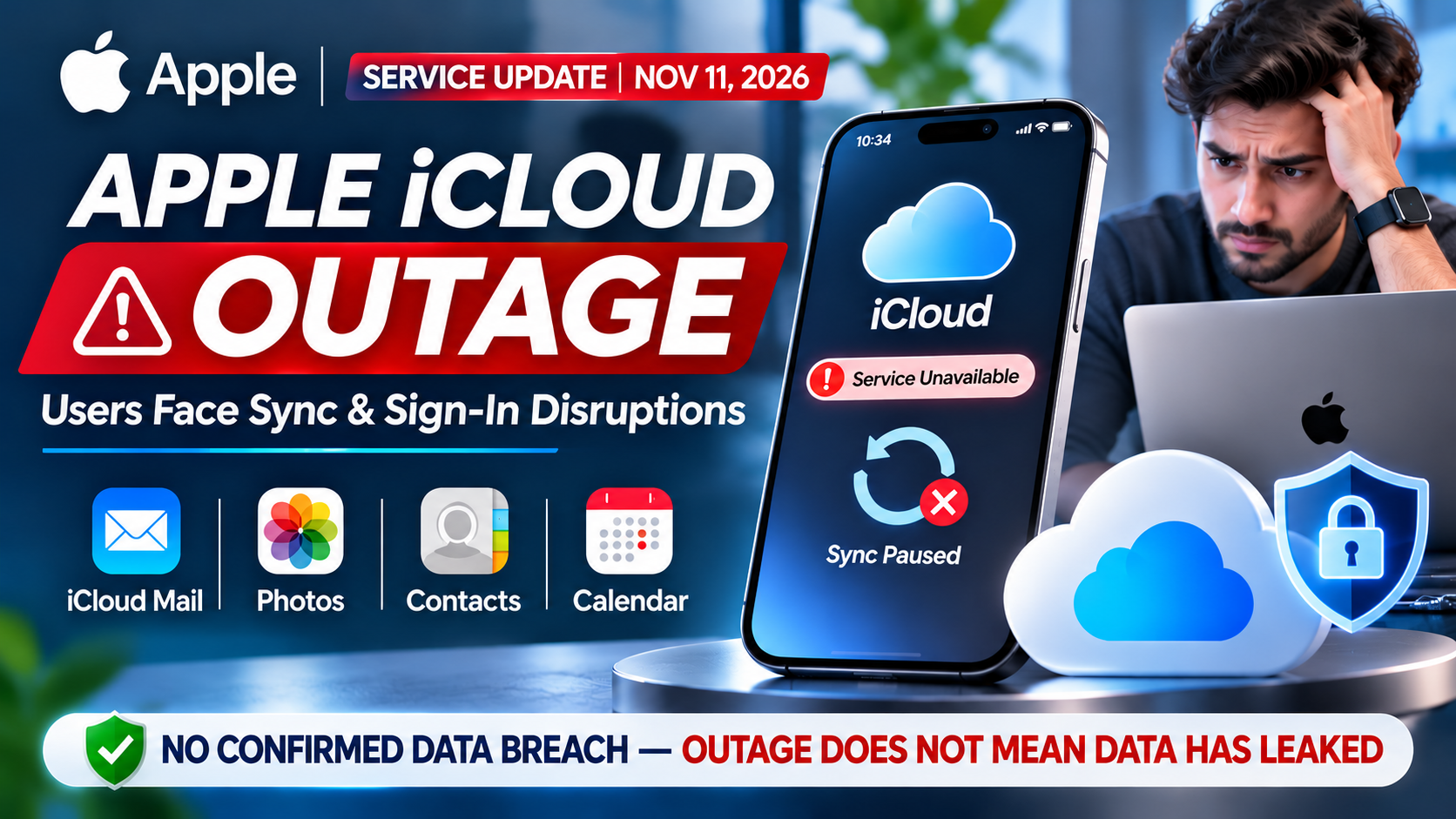
Apple icloud down/Outage suffered a multi-service outage on the evening of November 10, 2026. Apple’s System Status page listed problems from about 5:49 p.m. Eastern Time, which was 4:19 a.m. on November 11 in India. Mail, Calendar, Contacts, Game Center, Photos, Apple Account sign-in and Find My were affected, according to outlets quoting that page. Reports say everything was cleared by roughly 8:10–8:18 p.m. ET. Many users then asked whether their photos and files were exposed. This article separates what is confirmed from what is not, and explains how to protect your Apple Account.
What Happened During Apple’s iCloud Outage?
Apple’s status page began listing problems at about 5:49 p.m. ET on Tuesday, November 10. 9to5Mac and MacRumors both reported that iCloud Calendar, Contacts, Mail, iWork for iCloud and Game Center were affected, with Find My described as possibly slow or unavailable. Apple said only “some users” were affected.
People online reported failed email sending and receiving, trouble signing in to their Apple Account, and in some cases being signed out altogether, according to 9to5Mac . Those are user reports, not Apple findings.
Later reports widened the picture. AppleInsider and iClarified listed Photos and iCloud Account & Sign In too. Apple’s listings gave no cause and no estimated restoration time, per iClarified.
This was not Apple’s first iCloud disruption of the year. AppleInsider’s coverage of a February 10 incident mentioned an earlier major outage on January 20, 2026.
Which Apple Services Were Affected?
Service | Where it appeared | How Apple’s status was reported | Status at the end |
|---|---|---|---|
iCloud Mail | First reports | Outage | Listed resolved at 7:22 p.m. ET |
iCloud Calendar | First reports | Outage | Listed resolved at 7:22 p.m. ET |
iCloud Contacts | First reports | Outage | Listed resolved at 7:22 p.m. ET |
iWork for iCloud | First reports | Outage in first reports; “issue” in iClarified’s listing | All clear by about 8:10 p.m. ET |
Game Center | First reports | Outage | All clear by about 8:10 p.m. ET |
Photos | Added in later reports | Outage (iClarified) | Still listed at 7:22 p.m. ET; all clear by about 8:10 p.m. ET |
iCloud Account & Sign In | Added in later reports | Outage (iClarified) | Still listed at 7:22 p.m. ET; all clear by about 8:10 p.m. ET |
Find My | First reports | “Slow or unavailable,” not a full outage | Still ongoing at 7:22 p.m. ET; all clear by about 8:10 p.m. ET |
Sources: MacRumors’ 7:22 p.m. update for Mail, Calendar and Contacts; AppleInsider for the later all-clear.
The difference matters. “Outage” and “issue” are Apple’s own labels, and Apple used softer wording for Find My than for the services it called outages.
When Did the iCloud Outage Start and End?
The US returned to standard time on November 1, so Eastern Time here is UTC−5 and Pacific is UTC−8.
Event | ET (Nov 10) | PT | IST (Nov 11) | Source |
|---|---|---|---|---|
Apple’s status page lists the start | 5:49 p.m. | 2:49 p.m. | 4:19 a.m. | MacRumors, 9to5Mac, AppleInsider |
Find My issue begins | 5:50 p.m. | 2:50 p.m. | 4:20 a.m. | AppleInsider, iClarified |
9to5Mac publishes Apple’s confirmation | 6:48 p.m. | 3:48 p.m. | 5:18 a.m. | 9to5Mac |
Mail, Calendar, Contacts listed resolved; Photos and sign-in now listed | 7:22 p.m. | 4:22 p.m. | 5:52 a.m. | MacRumors, AppleInsider |
Two outages still listed; Find My “slow or unavailable” | about 7:54–7:59 p.m. | about 4:54–4:59 p.m. | 6:24–6:29 a.m. | AndroidPure |
Outages reported resolved | 8:10 p.m. | 5:10 p.m. | 6:40 a.m. | AppleInsider |
Apple reports all outages resolved | about 8:18 p.m. | 5:18 p.m. | 6:48 a.m. | 9to5Mac update |
From the 5:49 p.m. start to the last all-clear, the disruption ran roughly two hours and 20–30 minutes. One site put the outage at 93 minutes. That figure only matches the first wave: 5:49 to 7:22 p.m. ET. Photos, sign-in and Find My took longer, so “93 minutes” understates the total.
Did the Apple iCloud Outage Cause a Data Leak?
At the time of publication, the reviewed sources provide no confirmed evidence that the outage resulted in unauthorized access to or leakage of users’ personal data.
That sentence is deliberately narrow. Here is what each side of the question looks like.
Confirmed
- Several iCloud services were unavailable or degraded for some users.
- Some users could not sign in to their Apple Account, per user reports and later status-page listings.
- Services were reported restored the same evening.
Not confirmed
- A cause. Apple has not published one in the sources reviewed.
- Any hack, intrusion or insider access.
- Any leaked photos, documents, emails or backups.
- Any count of affected users.
It helps to know six terms that people often mix up:
- Cloud service outage: servers or services are unavailable or slow. This is an availability problem.
- Account sign-in failure: the login or verification system fails, so you cannot authenticate. Your data may be untouched but out of reach.
- Data synchronization failure: devices cannot exchange changes with the cloud. Your local copies remain on your devices.
- Unauthorized account access: someone other than you gets into your account, usually through stolen credentials or phishing.
- Server-side data breach: an attacker gets into the provider’s systems and takes data.
- Personal data exposure: private information becomes accessible to people who should not see it, whether by breach, misconfiguration or another route.
The first three describe what users reported on November 10. The last three describe security incidents, and no reviewed source reports any of them. An outage alone does not establish a breach. If credible evidence of unauthorized access emerges, this section will be updated.
What Happens to Your Photos, Files and Backups During an iCloud Outage?
An outage affects whether you can reach a service. It does not, by itself, delete anything. None of the reports reviewed describes lost photos, files or backups.
Under Apple’s default protection, Apple says you can access your backups, photos, documents and notes as long as you can sign in to your Apple Account. When sign-in or a service is down, you may be temporarily locked out of that route even though the data still exists.
What you may notice during a disruption:
- Mail: sending or receiving can fail or be delayed. Check your Outbox afterwards to confirm messages actually left.
- Photos and iCloud Drive: uploads or downloads may stall. Your device’s local copy is still there.
- Sign-in: you may see repeated password prompts even though your password is correct.
- Find My: locations may be stale or unavailable.
Treat a sync error during an outage as a waiting problem first. Retry after Apple’s page shows the service as available.
How Secure Is Apple iCloud Storage?
Apple offers two protection levels, described in its iCloud data security overview.
Standard data protection (default). Your data is encrypted in transit and on Apple’s servers. Apple holds the keys for most categories, which lets it help you recover data. Apple says 15 categories, including Health data and passwords in iCloud Keychain, are end-to-end encrypted even by default.
Advanced Data Protection (optional). Your trusted devices hold the keys for the majority of your iCloud data, and the end-to-end categories rise to 25. The additional categories include iCloud Backup, Photos, Notes and iCloud Drive. Apple says end-to-end encrypted data remains secure even if the cloud is breached, and not even Apple can read it. You canturn it on from Settings > [your name] > iCloud on iPhone or iPad, or System Settings > [your name] > iCloud on a Mac.
Advanced Data Protection has limits that headlines often skip:
- iCloud Mail, Contacts and Calendars are not end-to-end encrypted, even with Advanced Data Protection on. Apple says Mail must interoperate with the global email system, and contacts and calendars use standards without built-in end-to-end support.
- Some metadata stays under standard protection, such as file sizes, modification dates and checksums.
- Some sharing features are excluded: iWork collaboration, Shared Albums in Photos and “anyone with the link” sharing.
- Recovery is on you. Apple cannot recover end-to-end encrypted data if you lose access. You need your device passcode, a recovery contact or a recovery key.
- iCloud.com web access is off by default once Advanced Data Protection is on. You can turn it back on deliberately.
Advanced Data Protection protects stored data against a server-side breach. It does not prevent an outage, and it does not stop someone who phishes your password and verification code.
Suggested Post:
Samsung Galaxy S27: Rumors, Four Expected Models, Launch Date and Galaxy S27 Ultra Specs
10 Ways to Protect Your iCloud Storage and Apple Account
These steps follow Apple’s support documentation. Do not disable iCloud or reset your password just because of an outage. Neither fixes a server-side disruption.
1. Keep two-factor authentication on. Apple’s guide says most accounts already use it. Check it in Settings > [your name] > Sign-In & Security.
2. Review your trusted devices and phone numbers. Apple recommends having a trusted phone number that is not only tied to your iPhone, so a lost or damaged phone does not lock you out. See Apple’s trusted devices and numbers page. Remove devices you no longer own or recognize.
3. Consider Advanced Data Protection. It suits people who want the strongest cloud protection and are comfortable owning recovery. Read the limits above first, and update every signed-in device, because Apple requires supported software versions across your devices.
4. Set up a recovery contact or recovery key, and store it offline. A recovery contact can help you reset your password; they only supply a code and cannot access your account. A recovery key is a 28 character code. Apple warns that if you set one and lose both it and your trusted devices, you can be locked out permanently. Print or write it down. Apple says not to store it in Passwords, iCloud Photos, Notes or iCloud Drive, because you cannot open those if you lose account access.
5. Keep an independent encrypted backup. Copy your most important photos and documents to a drive you control, encrypt it, and store it away from your devices. Then an outage, lockout or lost recovery method does not leave you with a single copy. (This is general best practice, not an Apple setting.)
6. Learn to spot phishing. Apple’s scam guide lists warning signs such as links whose address does not match the company’s website, messages that look unlike Apple’s usual ones, and calls claiming to be Apple Support. Apple advises not answering suspicious calls and contacting Apple through its official support channels. Be especially wary of a message that appears right after an outage asking you to “verify” your account.
7. Never share your password, verification codes or recovery key. Apple Support does not need them to help you. A code on your screen is for someone signing in as you.
8. Keep your software updated. iPhone, iPad, Mac and any other signed-in device should run current versions. Advanced Data Protection also depends on supported versions.
9. Check Apple System Status before changing settings. If something fails, open Apple’s System Status page first. If your service is listed with an issue, wait. Do not sign out, remove your Apple Account or erase a device to “force” a sync.
10. Know what to do about an unexpected sign-in notification. Do not enter or share the code, and do not tap links in the message. Go directly to account.apple.com, review your device list and trusted numbers, and change your password there if anything looks wrong. If you entered your password or a code on a page you do not trust, change your password right away and review your devices. Report phishing using the channels in Apple’s scam guide. (This is general best practice.)
What Should iPhone Users Do If iCloud Stops Working?
- Check Apple System Status. If the service you use is listed, the problem is on Apple’s side.
- Wait and retry. Photos, Mail and Drive usually catch up on their own once the service recovers.
- Do not reset your password, sign out or erase your device to fix an outage. That can turn a temporary server problem into an account problem.
- Confirm your local copies. Open Photos or Files and check that recent items still show on the device.
- Check your Outbox in Mail for messages that did not send.
- Open Find My after recovery and confirm your devices show a recent location.
- Ignore messages demanding urgent verification. Reach Apple only through its official channels.
- If you still cannot sign in once Apple shows the service as available, use Apple’s account recovery process and your recovery contact or key if you set one up.
Frequently Asked Questions
Was Apple iCloud hacked in November 2026? No reviewed source reports a hack. Apple has not published a cause for the November 10 outage, as The Apple Post notes.
Were iCloud photos leaked? The reviewed sources provide no confirmed evidence of unauthorized access to or leakage of users’ personal data, photos included.
Which iCloud services were affected? Reports list iCloud Mail, Calendar, Contacts, iWork for iCloud, Game Center, Photos, iCloud Account & Sign In and Find My. Photos and sign-in appeared in later reports, and Find My was described as slow or unavailable rather than a full outage.
Has Apple resolved the outage? Yes, according to reports. AppleInsider noted resolution at about 8:10 p.m. ET and 9to5Mac updated its report with an all-clear from Apple at about 8:18 p.m. ET. Check Apple System Status for the live state .
Is iCloud storage encrypted? Yes. Apple says iCloud data is encrypted in transit and stored in encrypted form on its servers. With standard protection, Apple holds the keys for most categories. With Advanced Data Protection, your trusted devices hold the keys for 25 categories. See Apple’s overview.
What is Advanced Data Protection? It is an optional iCloud setting that extends end-to-end encryption to more of your data, including iCloud Backup, Photos, Notes and iCloud Drive. Mail, Contacts and Calendars stay outside it. You must have a recovery contact or recovery key. Steps are in Apple’s guide.
How can I secure my Apple Account? Keep two-factor authentication on, review trusted devices and phone numbers, set a recovery contact or key and store it offline, avoid phishing, never share codes, and keep devices updated. The ten steps above cover each one.
What should I do if I cannot sign in to iCloud? Check Apple System Status first. If Apple lists a sign-in issue, wait and try again later. Do not reset your password just because of an outage. If sign-in still fails after the service shows as available, follow Apple’s account recovery process.
Final Verdict
The verified facts are modest and clear. iCloud had a multi-service disruption starting about 5:49 p.m. ET on November 10, 2026, affecting Mail, Calendar, Contacts, Game Center, iWork, Photos, Apple Account sign-in and Find My for some users. Reports say it was resolved by roughly 8:10–8:18 p.m. ET. Apple has not given a cause.
What is not confirmed matters just as much. The reviewed sources show no breach, no leak and no data loss. An outage is an availability problem, and it should not be treated as proof of a security failure.
The outage is a good reminder to do the basics: keep two-factor authentication on, set up a recovery method and store it offline, keep an independent encrypted backup, and treat any “verify your account” message with suspicion.
Editorial fact-check note: Times were reconstructed from outlets that quoted Apple’s System Status page and from publication timestamps. Sources differ on the exact end time (8:10 vs 8:18 p.m. ET) and on how Photos and sign-in were first listed. Apple has not published a cause or a count of affected users. This article will be updated, with an updated date shown, if Apple or a credible source provides more.