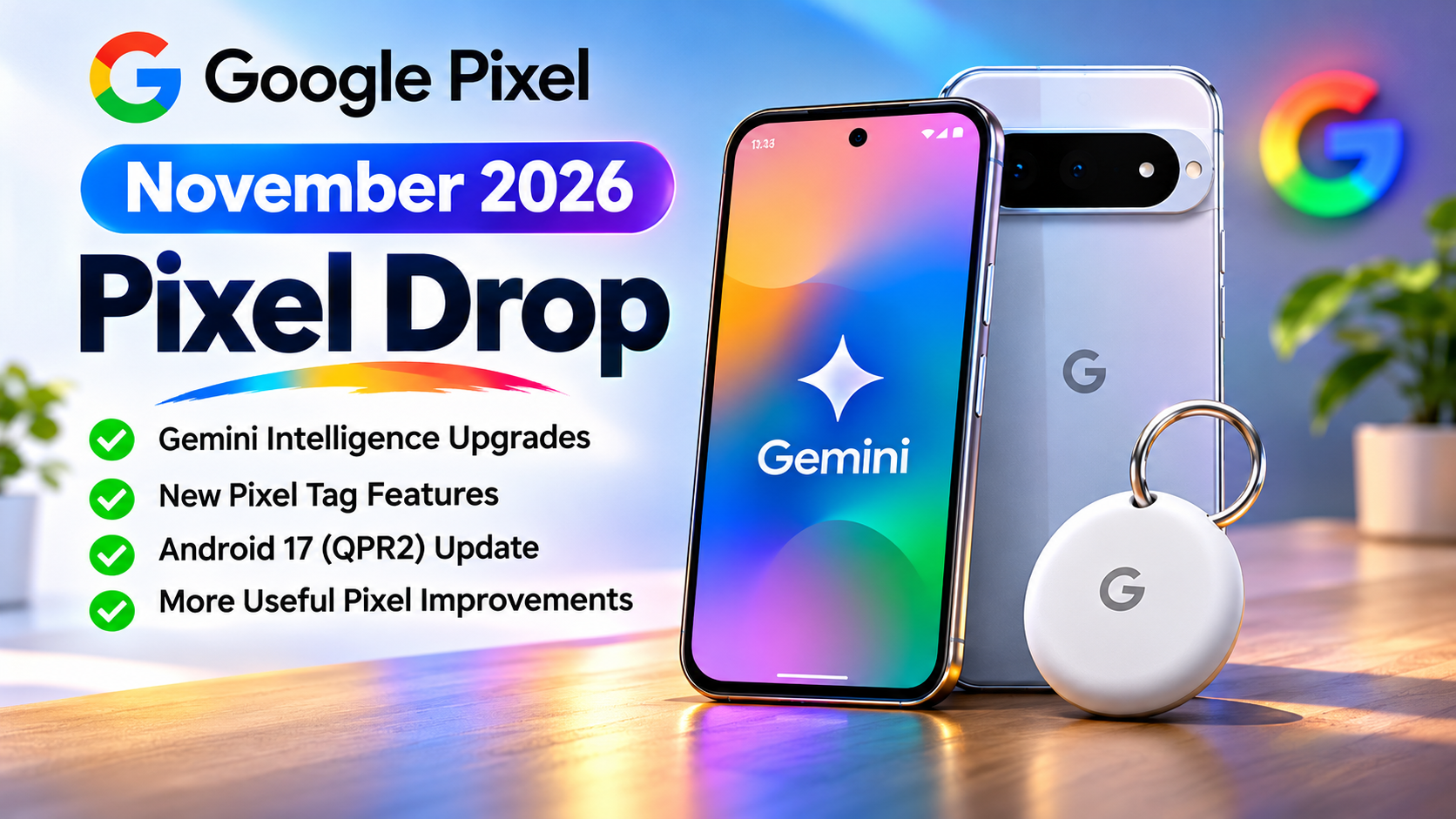
Google Pixel Drop: The catch sits in the footnotes. Features depend on your model, country, language and age, and Google says updates will keep rolling out over several weeks. This guide separates what Google confirmed from what only news outlets reported, shows which Pixels get which feature and explains what to do if nothing has appeared yet.
Jump to: At a glance · Gemini Intelligence on Pixel 10 · Pixel 11 exclusives · Pixel Tag · Older Pixels · Pixel Watch and Fi · Compatibility table · Rollout and how-tos · Limitations · Analysis · Verdict · FAQ
Google Pixel Drop at a Glance
Every row below comes from Google’s own posts. Reported-only items appear later, clearly labelled.
Feature | Details | Availability |
|---|---|---|
Rambler | Removes filler words and formats speech into clean text | Pixel 10, 10 Pro, 10 Pro XL, 10 Pro Fold. Select countries and languages, with usage limits |
Gemini multi-step tasks | Groceries, rides, takeout, reservations | Japan, UK and India. Gemini app, age 18+ |
Proactive suggestions | Timely prompts such as sharing your ETA | Pixel 10 (not 10a) and newer. Gemini app and setup required |
Create My Widget | Describe a widget and Gemini builds it | Eight listed Pixel 10 and 11 models, select markets. Rolling out over the next few weeks |
Conversation summaries | Summaries of long conversations | German, French, Spanish, Italian, Hindi, Traditional Chinese |
Call Screen with Gemini | Conversational screening with live transcript | Pixel 11 series, US only |
HiLight for Google Messages | Glows for favourite contacts when face down | Pixel 11 Pro, Pro XL, Pro Fold. All markets |
Custom icon styles | More icon styles across the home screen | Pixel 6a and newer. All regions |
Pixel Search | Finds photos, emails, messages, settings | Pixel 6a and newer (see compatibility note) |
Pixel Tag | Item tracker using Find Hub | On sale Nov 11. $29.99, or $99.99 for four (US). Android 9+ |
Google Fi super network | Switches between two 5G networks and Wi-Fi | Eligible Pixels, US. Footnote: Pixel 9 and newer with Fi eSIM |
Pixel Watch unlock with phone | Watch unlocks when the nearby phone is unlocked | “Next few weeks”. Needs UWB and a listed Pro phone |
Step-by-step workouts | Guided routines with rep and weight logging | Pixel Watch 3 and newer |
Gemini Intelligence on Pixel 10: What You Get

Google says Gemini Intelligence brings the best of Gemini to Android devices. It launched this summer on the Pixel 11 and recent Samsung Galaxy S26, Z Fold8 and Z Flip8 phones. This drop delivers the next batch to the Pixel 10 line.
Rambler: voice typing that cleans itself up
Rambler removes filler words such as “um” and turns spoken thoughts into tidy text in Gboard. You speak, review, then send. It helps most on long replies, where raw dictation usually needs heavy editing.
Good to know: It is available on the Pixel 10, 10 Pro, 10 Pro XL and 10 Pro Fold, plus the new Motorola Signature 27. Google limits it to select countries and languages, applies usage limits and tells users to check responses. The language list was not in the posts reviewed.
Gemini task automation in India, the UK and Japan
Ask Gemini to order groceries, book a ride, order takeout or find a reservation, and it handles the steps across your apps. Google says this is now available in Japan, the UK and India.
Good to know: It runs through the Gemini app for users 18 and over, in select languages. Google notes some features may need a subscription for higher usage. Google has not listed which apps work, so test it with the ones you use. Because it acts for you, read what it is about to do before approving.
Proactive suggestions
Your phone offers help when context suggests it. Google’s examples include sharing your ETA with one tap when someone asks when you will arrive, and helping you pick a dinner spot. The Gemini post adds an Android Auto example: a friend asks where your pilates class is, and Gemini finds the confirmation email and suggests sending the address.
Good to know: Google’s footnote requires a Pixel 10 (except the 10a) or newer, the Gemini app and a setup step, for users 18 and over. It is “coming soon” to Pixel Watch 4, and to Android Auto on Gemini Intelligence phones.
Create My Widget
Describe the widget you want in plain words. Google’s examples are a monthly spending tracker, a game day widget in your team’s colours and a getaway countdown that pulls in flight and reservation details. Google says it can use information from Gmail, Calendar and Search.
Good to know: Google lists the Pixel 10, 10 Pro, 10 Pro XL, 10 Pro Fold, 11, 11 Pro, 11 Pro XL and 11 Pro Fold, in select markets, for users 18 and over. It rolls out over the next few weeks and is coming to Pixel Watch. Since it reads app data, check what access you grant.
Device Assistance
This one got little coverage. Device Assistance lets you ask Gemini to control, change or fix your device. Google’s examples: clear up storage, check which apps can access your location, or mute distractions while keeping important calls.
Good to know: Google’s footnote says it is for select Android devices running Android 17 or later. The posts do not say whether Pixel 10 gets it in this drop, so treat that as unconfirmed.
Conversation summaries in more languages
Google describes this as catching up on long conversations; Business Standard calls them notification summaries. They now cover German, French, Spanish, Italian, Hindi and Traditional Chinese, and Business Standard says India is included.
Good to know: Google’s footnote names Pixel 9 (not 9a), Pixel 10 (not 10a) and Pixel 11 devices on Android 16.1 or newer. For watches it names Pixel Watch 3, 4 and 5 on Wear OS 7.1 or newer, “coming soon”.
Pixel 11 Exclusives: Gemini Call Screen and HiLight
Call Screen with Gemini
When you screen an unknown caller, Gemini asks why they are calling in a more conversational way and handles the exchange until you pick up or hang up. A live transcript appears on screen, so you decide when to join.
Good to know: Google limits it to the Pixel 11, 11 Pro, 11 Pro XL and 11 Pro Fold in the US. Business Standard confirms it is not available in India. It is coming to Pixel Watch 4 and 5.
HiLight for Google Messages
With your phone face down, HiLight glows when a favourite contact messages you. It works on the Pixel 11 Pro, Pro XL and Pro Fold in all markets. The base Pixel 11 is not listed.
Pixel Solver (reported, not in Google’s post)
Business Standard reports that Calculator gains Pixel Solver on the Pixel 11 series, using generative AI to help solve maths problems from prompts. Google’s Pixel Drop post does not mention it, so treat it as reported.
Pixel Tag: Price, Specs and Requirements

Google announced Pixel Tag on August 12 and puts it on sale on November 11. It is a slim tracker for keys, wallets and luggage, built on Google’s Find Hub network.
What Google says it offers
- Stainless steel body rated IP67 for water and dust resistance, with Google’s usual caveats that protection fades over time.
- A speaker that rings the tag, and a button that rings your phone.
- A battery rated up to one year that you can replace yourself. Google’s test used a Pixel 10 Pro XL and warns real life varies.
- Setup through Fast Pair: pull the battery tab, hold it near your phone and follow the prompts.
- Sharing with up to 10 people.
- Precision finding with visual distance and direction cues, using Ultra-Wideband and Bluetooth Channel Sounding.
- Left Behind alerts, and out-of-range finding through Find Hub’s network of over one billion Android devices, with end-to-end encrypted location data.
- Alerts when an unknown tag travels with you.
- Ringing from a Pixel Watch, or by asking Gemini through Pixel Buds.
Price and availability: Google’s Pixel Drop post lists $29.99 for one or $99.99 for four. Its August post rounds these to $29 and $99. Both are US pricing through the Google Store. Business Standard says India pricing has not been announced.
Requirements: Google’s footnote requires a compatible device on Android 9.0 or newer with Bluetooth 6.0 or newer. Precision finding needs a phone with Ultra-Wideband. So “works with Android 9” is not the whole story.
Customisation and Search on Older Pixels
Custom icon styles
Following the Custom Icons launch earlier this year, Google adds more styles that apply across all your home screen app icons. They are available on Pixel 6a and newer, in all regions and languages. Business Standard counts ten new styles. Google’s post gives no number.
Pixel Search
Pixel Search looks across your phone for vacation photos, recent emails, messages, calendar events and device settings. Google’s text says Pixel 6 and newer, but its footnote says Pixel 6a and newer. If you own a Pixel 6 or 6 Pro, confirm on your phone before counting on it.
Unit conversion in Calculator (reported)
Business Standard reports a dedicated unit conversion tool in Calculator for Pixel 6a and newer, with combined conversions and live currency rates. Google’s Pixel Drop post does not mention it.
Pixel Watch and Google Fi Updates
Unlock your watch with your phone
When the watch is on your wrist and your nearby phone is unlocked, the watch unlocks too, so you skip the PIN or pattern. Google says it arrives in the next few weeks.
Good to know: Google’s footnote requires a Pixel Watch 3, 4 or 5 with Ultra-Wideband. The phone must be a Pixel 8 Pro, 9 Pro, 9 Pro XL, 9 Pro Fold, 10 Pro, 10 Pro XL, 10 Pro Fold, 11 Pro, 11 Pro XL or 11 Pro Fold. It works only where UWB is supported. Standard, non-Pro phones are not listed.
Step-by-step workouts
Pixel Watch 3 and newer get guided workouts. You can follow a routine from your Google Health Coach or a custom workout built in the Google Health app, log reps and weights, and track metrics on the watch or phone. Coach routines require a Google Health Premium subscription.
Google Fi super network
Google says Fi’s new network switches automatically between two top US 5G networks and millions of secure Wi-Fi networks, starting today on eligible Pixels. Google’s “fastest coverage” claim rests on Ookla data cited in its footnote. The footnote names Pixel 9 and newer with Fi active on eSIM. Existing Pixel owners not on Fi can get 50% off select unlimited plans for 12 months, with the offer ending 12/1/26. This is US-focused.
Which Pixels Get Which Features
Google spreads compatibility across footnotes. This table brings it together. “Not listed” means Google’s posts do not name that model. It is not a confirmed exclusion unless the table says so.
Feature | Confirmed supported | Partial or conditional | Excluded or unsupported | Not confirmed |
|---|---|---|---|---|
Rambler | Pixel 10, 10 Pro, 10 Pro XL, 10 Pro Fold | Select countries and languages, usage limits | None stated | Pixel 10a and Pixel 9 and older: not listed |
Proactive suggestions | Pixel 10 (not 10a) and newer | Gemini app, setup, age 18+, select countries | Pixel 10a (named in footnote) | Pixel 9 and older: not listed |
Create My Widget | Pixel 10, 10 Pro, 10 Pro XL, 10 Pro Fold, 11, 11 Pro, 11 Pro XL, 11 Pro Fold | Select markets, age 18+, rolling out over next few weeks | None stated | Pixel 10a: not listed |
Device Assistance | None named for Pixel | Select Android devices on Android 17 or later | None stated | Which Pixels get it in this drop |
Conversation summaries | Pixel 9 (not 9a), 10 (not 10a), 11 | Android 16.1 or newer; language dependent. Watches: Pixel Watch 3, 4, 5 on Wear OS 7.1+, coming soon | a-series phones (named in footnote) | Pixel 8 and older: not listed |
Gemini Call Screen | Pixel 11, 11 Pro, 11 Pro XL, 11 Pro Fold | US only | None stated | Pixel 10 and older: not listed |
HiLight for Google Messages | Pixel 11 Pro, 11 Pro XL, 11 Pro Fold | All markets | None stated | Base Pixel 11: not listed |
Custom icon styles | Pixel 6a and newer | All regions and languages | None stated | Pixel 6 and 6 Pro: not listed |
Pixel Search | Pixel 6a and newer | Google’s text says Pixel 6 and newer | None stated | Pixel 6 and 6 Pro: conflicting wording |
Watch unlock with phone | Pixel Watch 3, 4, 5 with UWB, paired with a listed Pro phone | UWB regions only; next few weeks | Non-Pro phones (not listed) | None |
Step-by-step workouts | Pixel Watch 3 and newer | Coach routines need Google Health Premium | None stated | Earlier watches: not listed |
Pixel Tag | Android 9+ devices with Bluetooth 6.0+ | Precision finding needs UWB | None stated | iPhone: Google lists Android devices only |
Google Fi super network | Pixel 9 and newer with Fi on eSIM | US; coverage varies | None stated | Older Pixels: not listed |
Android 17 QPR2 (reported by Techloy) | Pixel 6a, 7, 7 Pro, 7a, Tablet, Fold, 8, 8 Pro, 8a, 9, 9 Pro, 9 Pro XL, 9 Pro Fold, 9a, 10, 10 Pro, 10 Pro XL, 10 Pro Fold, 10a, 11, 11 Pro, 11 Pro XL, 11 Pro Fold (23 devices) | Staged rollout | None stated | Not in Google’s posts; Pixel 6 and 6 Pro absent from Techloy’s list |
Rollout, Update Checks and Practical Guides
What Google has confirmed about timing

- Updates started rolling out on November 10 and continue over several weeks.
- Create My Widget arrives “over the next few weeks”, and watch unlock “in the next few weeks”.
- Several watch features and Android Auto suggestions are “coming soon”.
- Pixel Tag goes on sale November 11.
- The Motorola Signature 27, Google’s other Gemini Intelligence launch device, opens US pre-orders on November 19.
Google gives no per-device or per-region dates. Do not treat “several weeks” as a date.
How to check for the update
 Connect to Wi-Fi and plug in your phone.
- Open Settings, then System, then Software updates. Menu wording can differ slightly between Android versions, so confirm on your device.
- Tap Check for update.
- Install it and restart if prompted.
- If nothing appears, wait. Rollout is staged, and some features also depend on your model, country, language and Gemini app setup.
How to set up Pixel Tag
- Pull the battery tab.
- Hold the tag close to an Android phone running Android 9 or newer.
- Follow the on-screen prompts. Pairing uses Fast Pair.
- Name the item by picking a category or typing a label in the Find Hub app.
- Optionally share the tag with up to 10 people, and turn on Left Behind alerts.
- To find it later, open Find Hub. You can ring the tag when you are in Bluetooth range, and UWB phones get direction and distance cues.
How to use Rambler
- Open any text field where Gboard is your keyboard. Google says Rambler works through Gboard.
- Use voice typing and speak naturally.
- Review the cleaned-up text.
- Fix any mistakes, then send.
Google’s posts do not name the exact button or setting. If Rambler is missing, check that your language is supported and that your keyboard is up to date.
How to try Create My Widget
- Wait until the feature reaches your phone.
- Open the widget creation screen. Google’s screenshot shows a “Describe your widget” prompt.
- Describe what you want, such as a monthly shopping spend tracker.
- Review what it built and check what Gmail and Calendar data it uses.
The exact menu path is on Google’s support page for Create My Widget. Confirm it there before following these steps on your own device.
Limitations to Know Before You Update
- Hardware: The Pixel 10a is excluded from proactive suggestions and absent from other Gemini lists. HiLight for Messages is Pixel 11 Pro only. Precision finding and watch unlock need Ultra-Wideband.
- Software: Device Assistance needs Android 17 or later. Conversation summaries need Android 16.1 or newer. Watch summaries need Wear OS 7.1. Pixel Tag needs Bluetooth 6.0 or newer.
- Regions: Call Screen is US only. Task automation covers Japan, the UK and India. Create My Widget is in select markets. Pixel Tag and Fi pricing are confirmed for the US only.
- Subscriptions: Google says higher usage of some Gemini features may need a subscription. Coach workout routines need Google Health Premium.
- Language: Rambler and summaries depend on language. Google has not published the full Rambler list in these posts.
- Privacy: Create My Widget can use Gmail, Calendar and Search data. Pixel Tag relies on a crowdsourced network, with end-to-end encrypted location data per Google.
- Age: Several Gemini features require users to be 18 or over.
- Accuracy: Google tells users to check Gemini responses.
Editorial Analysis: What This Pixel Drop Really Signals
This section is the author’s opinion, not Google’s statement.
Gemini Intelligence is becoming a platform label, not a Pixel feature. Google’s Gemini post uses the same name across the Pixel 11, Samsung phones, the Motorola Signature 27 and Googlebook. A Pixel Drop is the cheapest way to extend that label to phones people already own. It keeps last year’s flagship feeling current and gives buyers a reason to stay in the ecosystem.
The Pixel line is running at two speeds. The Pixel 11 keeps Call Screen, and its Pro models keep HiLight for Messages. The Pixel 10 gets the broad toolkit, and the 10a gets little. Based on this pattern, expect newer features to reach the previous generation a few months after launch.
Rambler and proactive suggestions will likely matter most day to day. They remove steps people take dozens of times a week. Create My Widget feels more like a novelty until we see how well it uses Gmail and Calendar data. Task automation looks promising in India, the UK and Japan, but the missing app list makes its real value hard to judge.
Pixel Tag is Google extending Find Hub into hardware. Apple and Samsung already sell trackers, so Google’s pitch rests on its network of over a billion Android devices and a user-replaceable battery. The Bluetooth 6.0 and UWB conditions will decide who actually gets the full experience.
For competitors, the bar is acting, not answering. Assistants are now expected to do things inside apps, with clear controls. Clearer availability pages would also help everyone. Pixel owners should not need footnotes to learn what their phone can do.
Realistic expectations: Expect a staged rollout, regional gaps and outputs you still need to review. The upgrades are real, but they are not instant or universal.
Who Should Care About This Pixel Drop?
- Existing Pixel owners: Pixel 10 owners gain the most. Pixel 11 owners get Call Screen (US) and, on Pro models, HiLight for Messages. Owners of older phones get icon styles and Pixel Search.
- Potential Pixel buyers: Check the exclusives before comparing a Pixel 10 with a Pixel 11. Buyers eyeing the 10a should note its exclusions.
- Android enthusiasts: Pixel Tag’s requirements, Device Assistance and the reported QPR2 details are worth watching.
- Gemini AI users: Task automation now reaches India, the UK and Japan. Check language, age and subscription limits first.
Final Verdict

Most important improvements: Gemini Intelligence reaching the Pixel 10 family, task automation expanding to three new countries, and the Pixel Tag launch.
Greatest practical value: Rambler and proactive suggestions for daily use, and Pixel Tag for anyone who regularly loses keys or bags.
Biggest limitations: Model, country, language and age gating, the Pixel 10a’s exclusions, Call Screen being US only, and a rollout that takes weeks.
Should existing users be excited? Pixel 10 owners, yes, with measured expectations. Pixel 11 owners, modestly. Owners of older phones, mildly.
What to watch next: Create My Widget arriving on your phone, the Pixel Watch features, Android Auto suggestions, Pixel Tag outside the US, and a published Rambler language list.
Suggested Post:
November 2026 Pixel Drop: Everything New on Your Pixel
Apple iCloud down Outage: What Affected Your Data at Risk?
Samsung Galaxy S27: Rumors, Four Expected Models, Launch Date and Galaxy S27 Ultra Specs
Conclusion
This Pixel Drop is really two updates in one. For Pixel 10 owners it is a genuine upgrade: Rambler, proactive suggestions and task automation target everyday friction, not novelty. For everyone else it is a smaller bundle of customisation and search tweaks, plus a useful new tracker. The pattern matters more than any single feature. Google is moving Gemini Intelligence down the Pixel range in stages and keeping its newest tricks for the Pixel 11. Your experience will depend on your model, country, language and age settings, so check the compatibility table before assuming something is missing. If a feature has not appeared yet, give it a few weeks. If you have updated, tell us which feature changed your routine and which fell short.